

Independent review site. Downloads redirect exclusively to official stores (Google Play, App Store) to protect user security.

Review by
Kevin Sullivan
About this app
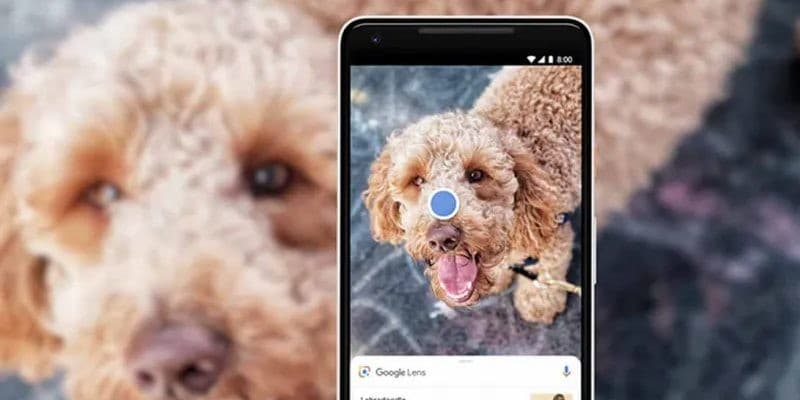
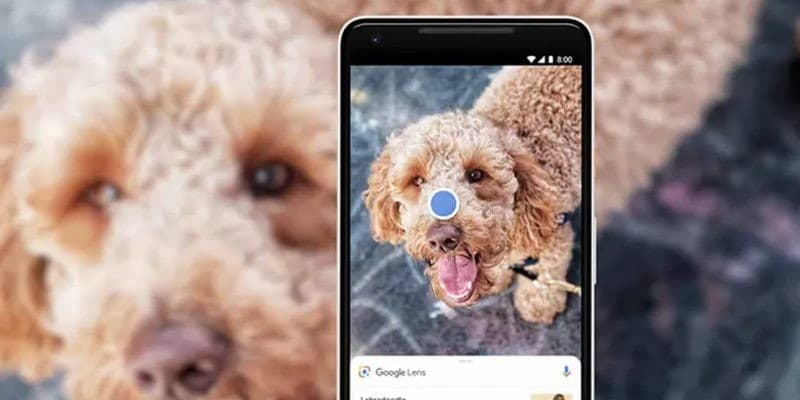
You can now perform visual searches with one of the most used Google tools, which will allow you to identify anything that is around you, just by pointing your mobile phone, from monuments to things, going through animals or plants, we are talking about Google Lens.
This service identifies almost anything you see, using your mobile device's camera as its eyes, turning it into an instruction manual for anything you need and don't know how to describe. Download Google Lens for free, you find it available for Android and iOS operating systems.
The objective of this tool is to help its users find the answer they need without the need to write, directly capturing a photograph of the object and you just have to let this application do the work. The Google Lens application will show you the information and results on the Internet of what you have shown it, comparing it with other searches.
To use it you will only need your mobile phone, your camera and Internet connection, the application itself takes care of the rest. It is a very curious tool that will make it easier for you to search on the web, since it makes the process much more comfortable for the user and the response time is relatively short. You can photograph anything from monuments, animals, food, etc. Lighting and framing is very important, because if the image is not taken well, it may not be recognized correctly and the results it offers us are not correct, showing some that have nothing to do with it.
The responses that the application will provide you are generic actions related to the object, each one being different from the others and even being more than one. To achieve this level of precision, it is related and integrated with the rest of Google applications.
The Google Lens application represents a great technological advance, since it allows an interaction between technology and reality. The way it works is very easy, it analyzes the image with Deep Learning and shows you actions that are related to it, based on that analysis in real time that it does. This means that it learns with each of the examples we are giving it, so each time we use it we are helping to continue improving the tool.
Ratings and reviews
Pros & Cons
Pros
- You only need your mobile camera.
- You can see menus through your mobile.
- Translate texts in real time.
- Make purchases online.
Cons
- Sometimes he does not recognize objects well.
- The results shown may not match.
- The translations are not accurate.
- Fail to search for images.
3 Tricks for Google Lens you didn't know
| Trick | Description |
|---|---|
1Copy and Translate Text from Images | Point Google Lens at text within an image, select the text, and copy it. Then, paste it into Google Translate for instant translation. |
2Identify Plants and Animals Instantly | Take a photo of a plant or animal with Google Lens, and instantly get information about its species, characteristics, and even care tips. |
3Scan QR Codes Without a Separate App | Google Lens can scan QR codes directly. Just point your camera at the code, and Lens will instantly recognize and read it, without needing an extra app. |
Direct competitor: CamFind
CamFind is a visual search engine that allows you to identify anything simply by taking a picture.
| Feature |  Google Lens Google Lens | CamFind |
|---|---|---|
| UI | Intuitive and integrated within Google | Less modern and somewhat clunky |
| Features | Extensive and varied, including text recognition and translation | Primarily focused on object recognition |
| Performance | Fast and reliable object recognition | Can be slower and less accurate |
| Price | Part of Google apps & services | Base model with in-app purchases |
| Support | Google support and community forums | Less extensive support |