
Snapseed
Google LLCPowerful mobile photo editor developed by Google, with professional adjustment tools and creative filters. · In-app purchases

Independent review site. Downloads redirect exclusively to official stores (Google Play, App Store) to protect user security.

Review by
Jason Mitchell
About this app
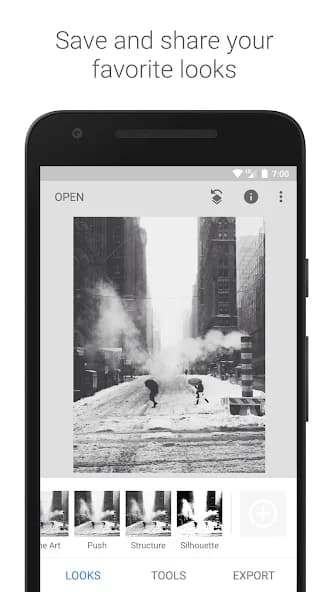
Snapseed is a powerful photo editor developed by Google that offers a wide range of professional editing tools directly on mobile devices. From basic adjustments like exposure and contrast to more advanced functionalities such as selective editing and healing brushes, Snapseed allows users to transform their images with precision and ease. The app stands out for its intuitive gesture-based interface and its ability to process RAW files, making it a robust option for both amateur photographers and those with more experience who are looking for an on-the-go editing solution without compromising quality. With a diverse collection of preset filters and the ability to create and save custom styles, Snapseed makes it easy to apply a consistent look to photos. Additionally, it includes specific tools for portraits and the ability to straighten and crop images with great control, all designed to optimize the photo editing workflow on smartphones and tablets.
Snapseed has established itself as an indispensable tool in the mobile photo editing ecosystem. Developed by Google, this image editor transcends basic functions to offer a set of features that rival desktop software, all packaged in a surprisingly user-friendly interface. Its reputation is based on its ability to deliver high-quality results with remarkable efficiency, making it the preferred choice for millions of users.
Snapseed's user interface is, without a doubt, one of its greatest strengths. Based on intuitive gestures, it allows users to navigate between tools and apply adjustments with a fluidity that few competitors can match. Selecting a tool, swiping to adjust parameters, and tapping to confirm are actions that quickly become natural, facilitating a fast and uninterrupted workflow. The learning curve is minimal, encouraging experimentation with the various editing options without feeling overwhelmed.
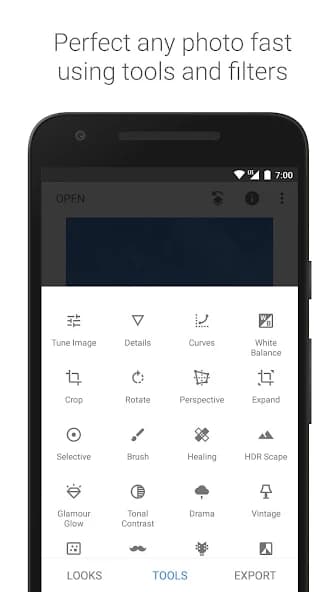
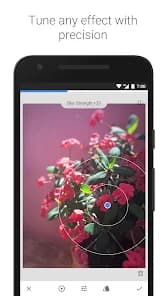
As for its main features, Snapseed truly shines. It offers everything from global image adjustments (exposure, contrast, saturation) to more sophisticated tools like "Selective Editing" (U Point), which allows applying enhancements to specific areas of a photo with impressive precision. Retouching brushes, perspective correction, spot removal, and RAW file compatibility are just some of the functions that elevate Snapseed above average. The preset filters are varied and customizable, allowing users to create unique styles.
Snapseed's strengths lie in its power and versatility, allowing for everything from quick edits to detailed professional-level retouches. The ability to save edits and revert them at any time is invaluable. Its consistent performance and the absence of hidden costs or subscriptions make it extremely attractive. It is a complete solution for those looking to take their mobile photography to the next level without complications.
However, it is not without limitations. For users coming from desktop software with more advanced layers and masks, the lack of these functionalities can be an obstacle. Although powerful, its approach is mostly destructive for retouching (though it allows undoing steps), and for complex projects with multiple elements or graphic designs, it falls short compared to more specialized options. Furthermore, file organization and project management are not its primary purpose, focusing exclusively on editing one image at a time.
In summary, Snapseed is an exceptional mobile photo editing application that offers an almost perfect balance between power, ease of use, and professional results. It is an indispensable tool for any photography enthusiast looking to maximize the potential of their images captured with mobile devices. Its constant evolution and Google's backing ensure that it remains a benchmark in its category.

Ratings and reviews
Pros & Cons
Pros
- Intuitive and gesture-based user interface.
- Wide range of professional and precise editing tools.
- Selective editing capability (U Point) for localized retouching.
- Compatibility with DNG RAW files.
- Diversity of filters and the option to save custom styles.
- Does not require in-app purchases to access all features.
- Regular updates with new functionalities and improvements.
Cons
- Lack of support for layer editing or advanced masks.
- Does not offer image library management tools.
- Initial learning curve to master all advanced tools.
- Not available for video editing.