

Life360: Family Locator
Life360Aplicación de seguridad familiar y rastreo de ubicación en tiempo real para mantener a tus seres queridos conectados y protegidos. · In-app purchases

Independent review site. Downloads redirect exclusively to official stores (Google Play, App Store) to protect user security.

Review by
Sarah Bennett
About this app
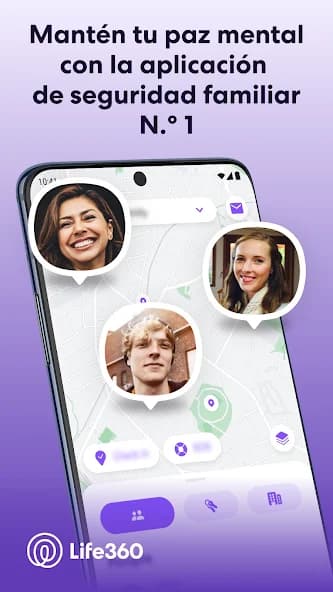
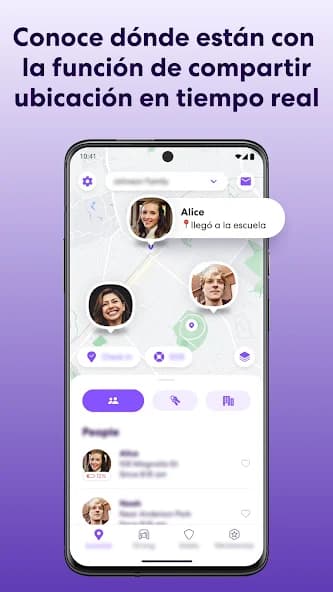
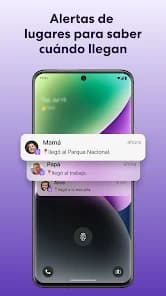
Life360 is a mobile application designed for family safety and coordination among its members. It allows users to create private circles with family and friends, view their locations on a real-time map, and receive automatic alerts when they arrive at or leave predefined places. The app goes beyond simple tracking, offering important functionalities for emergency situations and daily peace of mind. With a focus on connection and protection, Life360 has become an essential tool for parents who want to monitor their children, couples seeking to coordinate their schedules, or friends who need to stay aware of each other's locations. Its design aims to balance privacy with the need for security, providing controls over who can see location and when, which encourages transparent and consensual use. The platform integrates various features to enhance safety, including options such as car crash detection (available in higher-tier plans) and an emergency help button, which instantly notifies circle members and predefined contacts. These additions differentiate it from a basic locator, turning it into a comprehensive family safety and coordination system.
Life360 positions itself as an essential tool for family safety and connection, offering a robust set of functionalities that go beyond basic location tracking. From the first interaction, the application presents an intuitive interface, showing a central map where the locations of circle members are displayed. The setup process, although it requires inviting others, is relatively simple and quick, allowing families to start using it without major complications.
The user experience with Life360 is generally positive, although the interface may seem a bit cluttered due to the number of available features. This, while a strength in terms of functionality, may require a short adaptation period for new users. However, the clarity of the map and the ease of identifying circle members are strong points, ensuring that the most critical information is always at hand.
Life360's main features include real-time location tracking with good accuracy, the ability to set safe zones (Places) and receive automatic alerts when entering or exiting them. In addition, the application saves a detailed location history, which is useful for reviewing routes or time spent. For emergency situations, it has a help button and, in its advanced plans, car accident detection.
One of the great advantages of Life360 is the peace of mind it offers families. Knowing the location of your loved ones, especially children or older adults, can significantly reduce daily anxiety. The ability to create multiple circles allows managing different groups (family, friends, work team) in an organized way, adapting alerts and visibility to each context.
However, the application is not without its drawbacks. Battery consumption can be noticeable on some devices, requiring active power management. In addition, the subscription model to access the most advanced features can be a bit complex and expensive for some users, limiting access to key tools such as accident detection or priority support.
In summary, Life360 is a high-performance family safety application, combining location tracking with crucial emergency functions. Despite the challenges related to battery consumption and the structure of its payment plans, its value in family coordination and responsiveness to incidents consolidates it as a highly recommended option for those looking for a complete solution to keep their loved ones connected and protected.


Ratings and reviews
Pros & Cons
Pros
- Real-time location tracking with high reliability.
- Customizable automatic alerts for entries and exits from places.
- Robust security features, including accident detection (with plan) and an emergency button.
- Detailed location history for review.
- Allows creating private circles for different user groups.
Cons
- It can have a significant impact on device battery consumption.
- Advanced features are linked to subscription plans.
- It generates privacy debates among circle members.
- The interface, though comprehensive, can be initially overwhelming.