
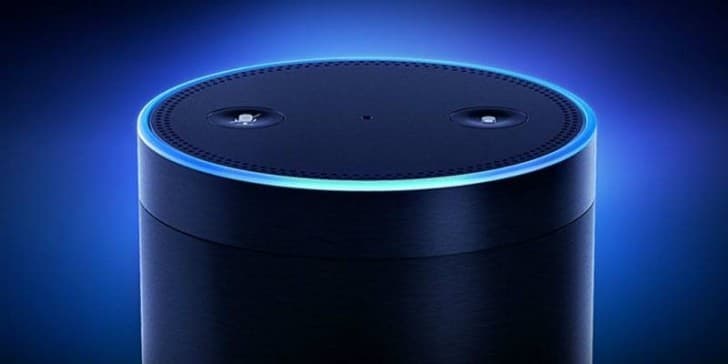
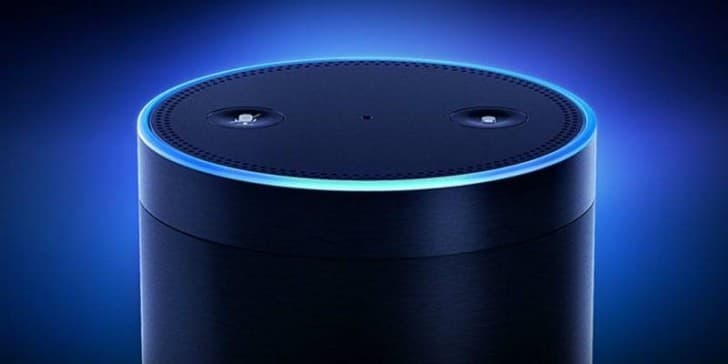
Amazon Alexa
AmazonThe virtual assistant with which you will communicate with your voice · In-app purchases

Independent review site. Downloads redirect exclusively to official stores (Google Play, App Store) to protect user security.

Review by
Sarah Bennett
About this app
Since Amazon launched its smart speaker, Echo, in 2014, the way we engage with this device has changed enormously. Along with it came the brand's artificial intelligence, Amazon Alexa, which gained popularity in many households and quickly became one of its best-selling products. Currently the catalog it offers is so wide that you can choose the one that best suits you and your needs.
Amazon Alexa is the name by which we know the personal assistant developed by the online shopping giant. It bases its operation on voice messages that you send it and which interprets and executes the action you are asking for. Alexa is the technology, not the product.
To use them, download Amazon Alexa for free, you find it available for Android and iOS. In this way you will have access to all its functionalities and configure them to your liking and needs. To use it you will have to have an Internet connection via WiFi.
With Amazon Alexa you can not only tell him orders, you will also have normal conversations using logical phrases. To activate it, you just have to say its name, it is always alert so that every time it hears the word Alexa, it responds quickly to all your commands.
From the application you can customize all the functions and configure it to show you your preferences, you can even change the word with which it will respond. Once you have given a request, Amazon Alexa
will offer you the most relevant results, the user can make any type of request to this virtual assistant, including buying online or controlling other devices you have.
It has multiple applications that work with Amazon Alexa and that complete it, thus increasing its functionality. Users will have full control, even adding a four-digit confirmation code with which you will confirm the purchases you make through the wizard, this gives greater security in its use and that it cannot be purchased due to an error.
Get full control of your smart home, with the Amazon Alexa application you are connected with other devices that are compatible, this way you can control them all from one place, you give the order and Alexa takes care of the rest.
Ratings and reviews
Pros & Cons
Pros
- Advanced voice recognition technology
- Intuitive interface
- You can make calls to other Alex owners
Cons
- Updates can take a long time
- It is easy to see other devices.
- It is based on cloud architecture.
3 Tricks for Amazon Alexa you didn't know
| Trick | Description |
|---|---|
1Create Custom Routines | Automate multiple actions with a single voice command. For example, 'Alexa, good night' could turn off the lights, lock the door, and set the thermostat. |
2Use Alexa as an Intercom | Send announcements to all or specific Alexa devices in your house. Just say, 'Alexa, announce to everyone that dinner is ready.' |
3Listen to Podcasts | Alexa can play a huge variety of podcasts. Just say, 'Alexa, play the [podcast name]'. |
Direct competitor: Google Assistant
A virtual assistant integrated into Google products and smart home devices.
| Feature |  Amazon Alexa Amazon Alexa | Google Assistant |
|---|---|---|
| UI | Customizable and visually oriented | Minimalist and context-aware |
| Features | Wide range of skills and integrations | Strong integration with Google services |
| Performance | Reliable but sometimes requires precise commands | Excellent at understanding natural language |
| Price | Devices available at various price points | Devices available at various price points |
| Support | Extensive documentation and community support | Extensive documentation and community support |